


 f90621a54e
* feat: let the login page send the token back to the mobile app

* feat: add host-scripts entry to the plugin sdk

* feat: let plugins say how they show in the mobile app

* feat: frame host for running one plugin view outside the shell

* fix: build the SDK host modules in production mode

* chore: note the SDK host build fix in the changelog

* feat: list plugin engine ranges for the mobile app

* feat: host color and icon columns that sync

* chore: update translations and plugin pins

* fix: test

* fix: show source address when rejecting proxy auth

* fix: deleting your own account removes all of its data

* fix(deps): update body-parser to 2.4.0 (#1736)

* fix: body-parser 보안 패치 반영

* chore: 자동 검사를 막던 기존 JSON 서식 정리

---------

Co-authored-by: renovys <180682734+renovys@users.noreply.github.com>

* fix(sdk): decode command output as GBK when it is not valid UTF-8 (#1735)

* fix: honor shared credentials on shared hosts (#1730)

* fix: honor shared credentials on shared hosts and in personal SSH auth

* fix: snapshot shared SSH auth from a credential shared with the host owner

* fix: size DataView list columns by the table's own width (#1713)

* fix: size DataView list columns by the table's own width

The list grid was built from every column, so columns hidden below md/lg
left empty tracks and the visible cells landed under the wrong headers.
Each width now gets a template of only its visible columns (CSS variables
+ container queries on the table, so a narrow panel counts, not the window),
the header uses the same gap as the rows, and rows use a minimum height so
wrapped cells no longer overlap.

* test: wait for the title bar offset effect before asserting

The bar shows once getTitleBarVisible resolves, but --termix-titlebar-height
is set in a later passive effect, so reading it right after findByText raced
(3-5 of 40 runs under load, on main too).

* chore: rerun CI against dev-26.10.6

* fix: unlock passphrase keys once per connect burst (#1737)

* feat: give ssh transports the host origin and sync id (#1717)

* fix: wake other clients after a sync push (Plugin-Sync#1)

* feat: look up local row ids by sync id for the sync plugin (Plugin-Sync#4)

* feat: rail items can show a status dot (Plugin-Sync#5)

* fix: add the desktop shared copy banner text (#1709)

* feat: sidebar preference for alternating rows (#1712)

* fix: striped rows text

* feat: shell can open a saved host's editor for plugins (Plugin-SSH-Terminal#36)

* fix: show the logo in the macos menu bar (#1728)

* fix: number shortcuts skip the home tab (#1724)

* fix: show plugins that could not be downloaded as failed (#1714)

* fix: pass the host id as text when opening its editor

* fix: retry a plugin bundle that was not ready yet (#1708)

* fix: let commonjs plugins fall back to core packages on the desktop

* fix: let non docker installs switch nginx to https (#1711)

* feat: remove a folder share from its hosts too (#1719)

* chore: changelog for merged pull requests

* fix: accept the release .sig when installing a plugin from a file

* feat: folder logins for shared hosts, read only plugin sync, full desktop builds

* fix: test

* fix: stop dev runner restart loops and narrow plugin watchers

* chore: update translations and plugin pins

* chore: lint, format, and bump version to 26.10.6

---------

Co-authored-by: renovys <renovy@gmail.com>
Co-authored-by: renovys <180682734+renovys@users.noreply.github.com>
Co-authored-by: Sebastian Cao <cycsmail@gmail.com>
Co-authored-by: Jonathan Rehuel Lewerissa <jonathan.rehuel16@gmail.com>
Co-authored-by: Rhiz3K <33246262+Rhiz3K@users.noreply.github.com>

Termix
Self-hosted, plugin-based server management


Overview
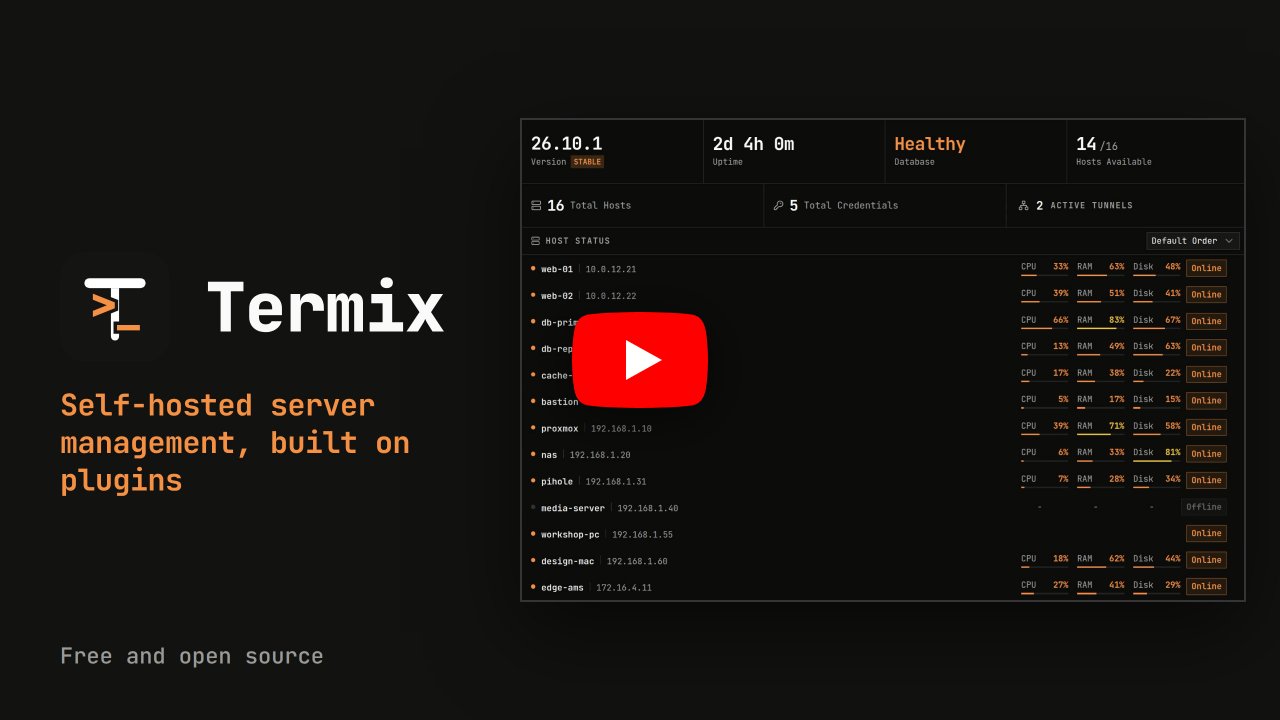
Termix is a free, open source, self-hosted server management platform built on plugins. The core keeps your hosts, credentials, users, sharing and sessions. Everything else, like the SSH terminal, remote desktop, file manager, Docker and metrics, is a plugin you can turn on, off or remove.
It runs on web, desktop and mobile. Think of it as a free, self-hosted Termius.
Try the Demo
Try it at demo.termix.site. Any username and password works.
Core
What every install has, with or without plugins:
- Hosts: Save hosts in nested folders with tags and parent hosts, bulk edit, import and export, and use Quick Connect for one-off connections
- Credentials: Reuse saved passwords and keys across hosts, with host defaults you can set for the server, a user or a folder
- Sharing and Roles: Share hosts, credentials and folders with users or roles at four levels: connect, view, edit and manage
- Accounts: Local accounts, sessions you can see and revoke, trusted devices, API keys and an audit log
- Security: Passwords, keys and other secrets are encrypted per user, and the database can be encrypted on disk
- Desktop Sync: The desktop app runs on its own and can link to a Termix server to keep an offline copy of your account
- Interface: Tabs and split screen, a command palette (double tap left shift), rebindable shortcuts, themes, branding and around 30 languages
- Databases: SQLite by default, with PostgreSQL and MySQL supported too
Plugins
Plugins add everything else. The official ones ship with Termix, and admins can install, update or remove plugins from the Plugins tab. Each plugin has its own repo.
| Plugin | What it does |
|---|---|
| ACME Certificates | Gets the Termix HTTPS certificate from Let's Encrypt or any ACME provider and renews it for you. |
| AI Assistant | An AI assistant that reads your setup and proposes changes for you to approve. |
| Alerts | One inbox for every alert in Termix, with delivery to webhooks, ntfy, Discord and email. |
| Audit Tools | Send the audit log to your SIEM and export it as CSV or NDJSON. |
| Automations | Run steps on your hosts on a schedule or when something happens. |
| Classic Layout | The classic Termix layout with an icon rail, sidebar, tab bar and dock. |
| Classic Themes | Light, dark and seven more color themes for Termix. |
| Cloud Providers | Add hosts from AWS, Azure, Google Cloud, DigitalOcean, Hetzner and other clouds, and keep them in sync. |
| Credential Tools | Generate SSH keys, check them and copy a public key to a host. |
| Databases | Browse and edit MySQL, MariaDB, PostgreSQL and SQLite databases on your hosts from one tab. |
| Docker | Manage Docker and Podman containers on your hosts over SSH, with logs, stats and a console. |
| File Manager | Browse, edit and move files over SFTP, including straight from one server to another. |
| Fleets | Group hosts into fleets and run commands, package actions and file transfers on all of them at once. |
| HashiCorp Vault | Connect to hosts with short-lived SSH certificates signed by HashiCorp Vault. |
| Homepage | A drag and drop widget page for your servers and services, plus service links for the dashboard. |
| Host Metrics | Live CPU, memory, disk, network and GPU stats, plus tools to manage your hosts. |
| Host Status | Shows if each host is online with a dot in the host list, checked by connecting to its port. |
| Hosts Config | Keep hosts, folders and sharing in a YAML or JSON file. Termix loads them as read only hosts and reloads when the file changes. |
| Import and Export | Import hosts from a JSON file or an SSH config file and export them to share or back up. |
| Kubernetes | Manage Kubernetes clusters from your hosts over SSH, with logs, metrics, YAML and a shell. |
| LDAP | Sign in with your LDAP or Active Directory username and password. |
| Login Security | Sign people out when idle, limit session length, turn off remember me and require a second factor at login. |
| Network Topology | Draws your hosts and the links between them as a live, interactive graph. |
| OPKSSH | Connect to hosts with short-lived OpenPubkey SSH certificates after signing in with your identity provider. |
| Passkeys | Sign in with a passkey or security key instead of a password. |
| Proxmox | Import Proxmox VE guests as hosts, keep them in sync and watch node stats. |
| Remote Desktop | RDP, VNC and Telnet sessions in your browser, with clipboard, file transfer, sharing and recording. |
| Reverse Proxy | Reverse proxy for TCP, UDP, HTTP and HTTPS with free certificates and Termix login, managed per host. |
| Samba Shares | Create and manage Samba (SMB) file shares, users and permissions on your hosts from one tab. |
| Secret Sources | Pull host passwords and keys from 1Password when you connect instead of storing them in Termix. |
| Serial | Open a serial console to a router, switch or other device plugged into your computer. |
| Services | Manage services, timers and logs on your hosts over SSH. |
| Session Recording | Record terminal and remote desktop sessions and play them back or download them later. |
| Session Sharing | Share live sessions by link or with another user, and present sessions to a group in meeting rooms. |
| Simple Layout | A simple Termix layout for small setups with a top bar, a Home screen and only the basics. |
| Single sign-on | Sign in with any OpenID Connect provider, GitHub or Google. |
| Snippets | Save the commands you run often and run them in a terminal or on many hosts in one click. |
| SSH Terminal | SSH terminal sessions with tabs, split screen, history, macros and a local terminal in the desktop app. |
| Step CA | Connect to hosts with short-lived SSH certificates from a smallstep step-ca server. |
| Sync | Sync the desktop app with one or more servers, and manage other Termix servers as remote sites from a master. |
| Tailscale | Add tailnet devices as hosts and connect with Tailscale SSH. |
| Termix Identity | Publish your SSH public keys under a public handle and run your own SSH certificate authority. |
| Tmux Monitor | Browse and control tmux sessions, windows and panes across your hosts. |
| TOTP | Two-factor sign in with a code from an authenticator app, with backup codes. |
| Tunnels | SSH port forwarding that reconnects on its own, plus client tunnels from the desktop app. |
| Usage Statistics | Sends a small anonymous daily report so we can see how Termix is used. |
| Wake-on-LAN | Wake sleeping machines by sending a Wake-on-LAN packet to their MAC address. |
| Warpgate | Connect to hosts through a Warpgate SSH bastion. |
| Web Endpoint | Open a host's web UI inside Termix, directly or over an SSH tunnel. |
| Workspaces | Save your open tabs and split layouts and reopen them in one click. |
Want to build your own? Start from the plugin template. Plugins you can install are listed in the registry. Turn on the community registry in Plugins, Registries to install plugins made by other people, or add your own registry. See submitting a plugin and hosting your own registry.
Platform Support
| Platform | Distribution |
|---|---|
| Web | Any modern browser (Chrome, Safari, Firefox) | PWA support |
| Windows x64/ia32 | Portable | EXE and MSI Installer | Chocolatey |
| Linux x64/arm64/armv7l | Portable | AUR | AppImage | Deb | Flatpak |
| macOS Universal/x64/arm64, v12.0+ | Apple App Store | DMG | Homebrew |
| iOS/iPadOS v15.1+ | Apple App Store | IPA |
| Android v7.0+ | Google Play Store | APK |
Installation
See the docs for install steps on every platform.
Sample Docker Compose file. Remote desktop (RDP, VNC and Telnet) is built in, so nothing else needs to run next to it:
services:
  termix:
    image: ghcr.io/termix-ssh/termix:latest
    container_name: termix
    restart: unless-stopped
    ports:
      - "8080:8080"
    volumes:
      - termix-data:/app/data
    environment:
      PORT: "8080"

volumes:
  termix-data:
    driver: local
Cloud Hosting
If Termix runs on the network it manages, an outage takes it down right when you need it. A VPS keeps it reachable, gives you a static IP and works from anywhere without a VPN or port forward.
GINERNET sponsors Termix and the docs have a setup guide for their VPS.
Donate
Termix has no paid plans. Donations cover servers, domains and development time.
Sponsors
For a paid sponsor spot, email mail@termix.site.


Support
Bugs and ideas for Termix itself (login, hosts, credentials, sharing, sync, the app and desktop app) go in this repo: report a bug or request a feature.
Every plugin has its own repo, so a problem with the terminal, file manager, Docker, remote desktop or any other plugin goes in that plugin's repo (see the table above, or use Report an issue on the plugin's page in the app, which fills in your versions for you). Not sure where it goes? Open it here and it will be moved.
You need a GitHub account. Add as much detail as you can, in English if possible.
For discussions and questions, join the Discord server. Update videos are on YouTube.
License
Apache License 2.0. See LICENSE.